The agent that reads your inbox: triage without losing control
By Agentic Design
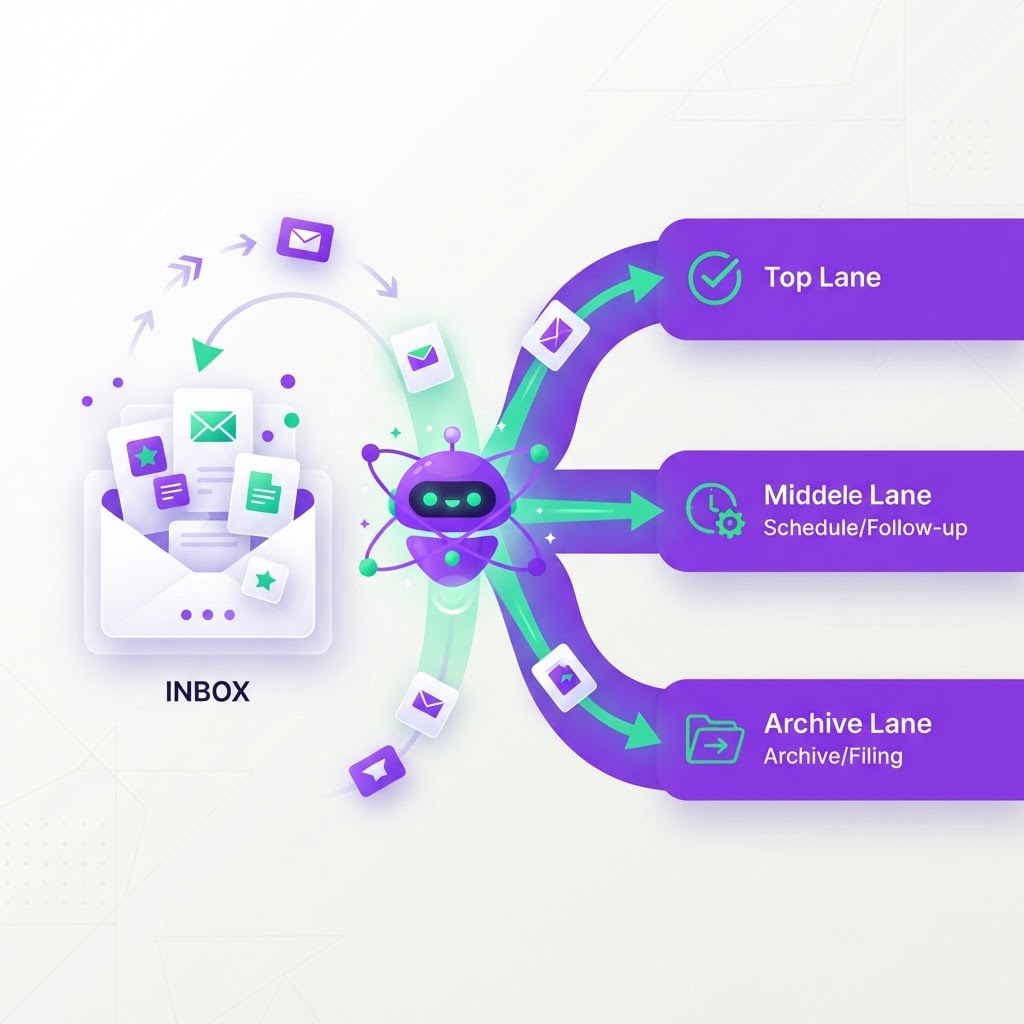
For most Australian SME owners, the inbox is where profit goes to die. It starts as a communication tool but quickly becomes a graveyard of unfiled invoices, customer queries buried in threads, and urgent requests lost in the noise. Adding more staff often compounds the problem, creating more silos and more manual data entry. Instead, the solution lies in deploying an agentic layer that sits above your existing software stack, acting as a tireless triage clerk that connects your email directly to your CRM, ERP, and inventory systems.
An agentic platform does not aim to replace your core business tools like Xero, HubSpot, or MYOB. Replacing these systems is expensive, risky, and disruptive. Instead, our approach is to deploy an agentic layer that communicates with these systems via their APIs. Think of this agent as a digital connective tissue that takes unstructured data from an email and turns it into structured entries in your databases, all while maintaining the security boundaries you already have in place.
The anatomy of intelligent triage
When we talk about triage, we are not just talking about auto-responses or simple folder rules. A true agentic workflow follows a sequence: classification, extraction, and execution. First, the agent reads the incoming email and determines its intent. Is this a new sales lead, a supplier invoice, a customer support ticket, or internal chatter? By classifying the email correctly, the agent immediately knows which internal rules to apply.
Once classified, the agent performs data extraction. This is where the manual slog of copy-pasting ends. If a customer emails a purchase order, the agent extracts the order quantity, product SKU, and delivery date. It doesn't just read the text; it verifies these details against your actual inventory levels stored in your ERP. If the information is missing or contradictory, the agent flags it for a human to review, preventing bad data from entering your systems.
Routing and the hard limit on autonomy
After extraction, the agent routes the data to the appropriate system. If it is an invoice, it lands in your finance platform with a draft status. If it is a lead, it creates a new record in your CRM. The critical design principle here is the hard limit on automated action. While we want the agent to handle the heavy lifting, we rarely permit the agent to "send" or "pay" without a human safety catch. In high-stakes environments, the agent drafts the email reply or prepares the invoice payment but leaves it in a 'ready for approval' state.
- The agent classifies the intent and extracts the data structure.
- The agent cross-references existing API data (e.g., inventory or customer history).
- The agent drafts the response or updates the relevant record.
- The agent notifies a human manager only when a decision point requires discretion.
This approach ensures that your business maintains complete control. You aren't handing the keys to a machine; you are providing your team with a highly efficient assistant that removes the 'drudgery' phase of every interaction. By focusing on low-risk tasks like data entry and notification, you save your staff hundreds of hours per month. A typical SME can reclaim about 10 to 15 hours of administrative time per week per department by automating these specific workflows.
Risks and the reality of implementation
It is vital to be transparent about the risks. The primary danger with AI agents is 'hallucination' or 'over-eagerness' to execute. This is why we build these agents with immutable logic gates. If an email content doesn't match a high-confidence template, the agent defaults to human intervention. Furthermore, integrating via APIs is far safer than screen-scraping or browser automation, which are brittle and prone to breaking whenever a software provider updates their UI.
Delivery in the Australian SME market should be measured in weeks, not years. If an agentic deployment is taking longer than six to eight weeks, the scope is likely too broad, or the underlying data architecture is too fragmented. We focus on 'narrow-vertical' deployments. We start by fixing the email-to-invoice pipeline or the lead-to-CRM workflow. Once one process is stable and audited, we expand to the next. This iterative approach allows you to see tangible ROI within the first month of operation.
- Establish a clear 'Human-in-the-loop' protocol for all external communications.
- Use API-first connections to ensure data integrity across your CRM and ERP.
- Map your existing manual 'copy-paste' processes before attempting to automate.
Where to start
To move from chaos to control, you do not need to overhaul your IT infrastructure. Start by auditing your current bottlenecks and identifying where your team spends the most time typing the same information into multiple screens.
- Identify your 'high-volume, low-discretion' inbox task: Choose one recurring process, such as customer order intake or invoice processing, that follows a predictable pattern.
- Audit your API accessibility: Check that your current software stack (Xero, Salesforce, etc.) allows for third-party API integration and verify your existing authentication credentials.
- Pilot with a small subset: Give the agent access to a 'read-only' test environment or a small queue of emails for one week to measure accuracy before allowing it to draft responses.