Multi-system workflows: one job that touches CRM, inventory and finance
By Agentic Design
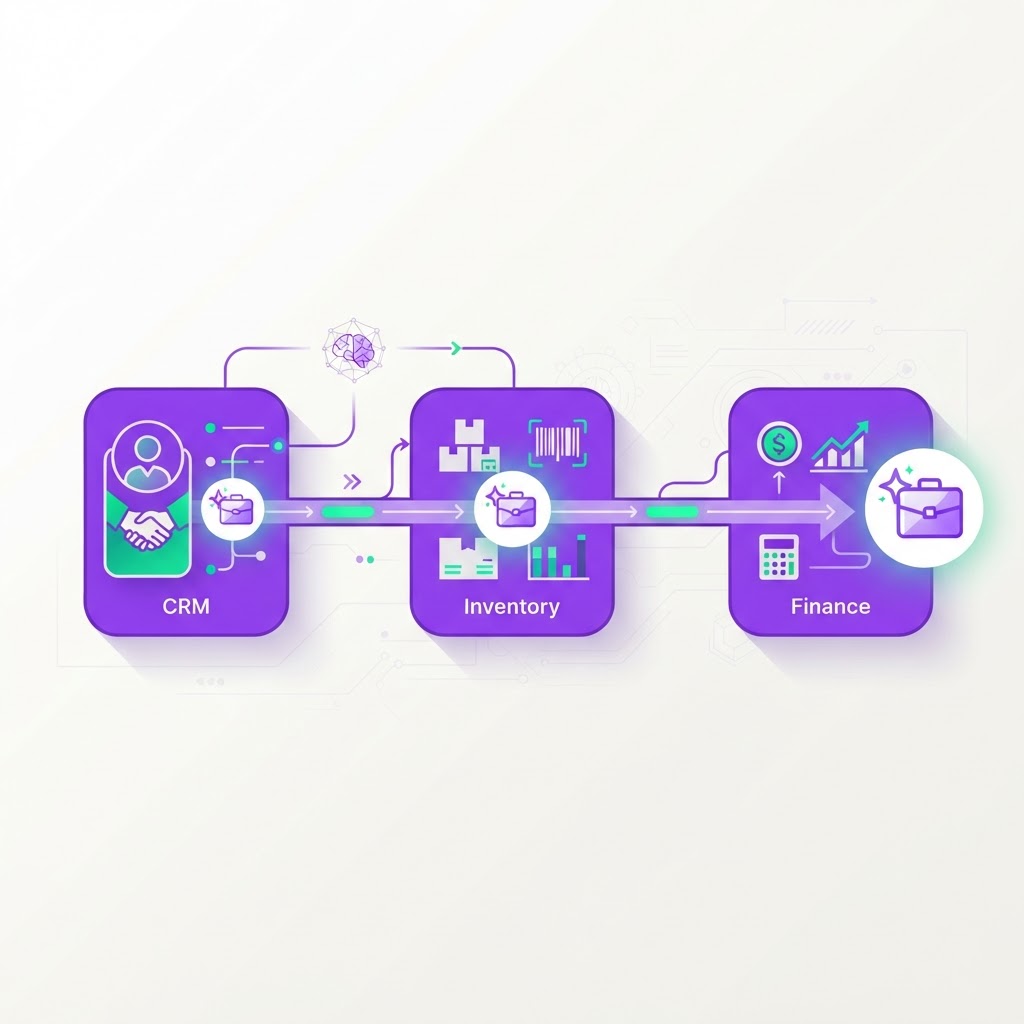
For many Australian small and medium enterprises, the business day is lost in the gaps between software. Your sales team lives in the CRM, your warehouse manager tracks stock in an inventory system, and your finance team spends hours manually re-keying data into accounting software. These systems are powerful individually, but they are effectively islands. When data has to be moved manually between them, you encounter bottlenecks, transcription errors, and delays that directly impact your cash flow.
Agentic design changes this by implementing an independent coordination layer. Instead of ripping out your existing tech stack, an agentic platform sits alongside your current tools. It communicates via APIs to read, write, and verify information across your platforms. This is not about automating a single click; it is about automating a logical business process that requires decision-making, exception handling, and human oversight.
The Anatomy of an End-to-End Workflow
Let’s look at a common scenario for a wholesale distribution business: the order-to-cash process. Imagine a customer submits a significant order through your portal. In a typical SME, this kicks off a chain of manual tasks. First, a sales admin checks if the stock is actually available. Then, they create an invoice in the accounting system. Finally, they update the CRM to reflect the new deal status. If the stock level is low, the process stalls until someone sends an email to the warehouse manager.
With an agentic workflow, the process becomes proactive rather than reactive. The agent continuously monitors your CRM for new "Closed-Won" opportunities. Once a deal is confirmed, the agent initiates the first stage of the workflow automatically.
- The agent queries the inventory system via API to verify real-time stock levels for every line item in the order.
- It checks the customer's credit terms stored in the accounting system to ensure the order doesn't exceed pre-set limits.
- It generates a draft sales order and saves it directly into your finance platform, pre-populated with correct tax codes.
If the inventory check confirms everything is in stock and the credit status is clear, the agent pushes the order to the warehouse for fulfillment. The human role here shifts from data entry to exception management. Instead of spending two hours entering orders, your staff only intervenes when the agent flags a conflict, such as insufficient stock or a discrepancy in shipping address details.
Managing Exceptions and Human Oversight
One of the biggest concerns for business owners is losing control. You might worry that an automated system will send out incorrect invoices or empty your inventory without permission. This is why a well-designed agentic platform includes a clear approval gate. The agent does the heavy lifting of preparation, but it leaves the final 'go' button for your team.
When the agent detects a problem—perhaps a customer is over their credit limit by $500—it does not halt the entire process. Instead, it pauses that specific transaction and alerts the finance manager via a direct notification in Slack, Teams, or email. The notification includes the necessary context: the customer's payment history, the current outstanding balance, and the margin on the new order. The manager can approve or reject the order with a single click, allowing the agent to proceed accordingly.
This approach turns your software into a system that works for you, rather than a system your team works for. By handling the rote tasks of cross-referencing and data migration, the agent frees your team to focus on resolving genuine business hurdles. You get the speed of automation with the reliability of human oversight.
Data Integrity Across Systems
When your systems are not synced, you likely have 'source of truth' issues. Does the CRM show the right price? Does the inventory system show the latest cost of goods sold? When data is manually copied, these versions of the truth diverge rapidly. Agentic platforms provide a unified view because they query the systems of record in real-time.
Because the agent is interacting with the APIs of your CRM, ERP, and accounting software, it ensures that every field is mapped consistently. You no longer have to worry about the finance team accidentally mistyping a SKU or the sales team miscalculating a discount. The agent applies your business logic consistently, every single time, 24 hours a day.
- Centralise your business rules so they apply across all platforms automatically.
- Audit every transaction to understand exactly which action was taken and why.
- Scale your order volume without needing to hire additional administrative support.
This level of integration is achievable in weeks, not years. Because you are not replacing your core infrastructure, the implementation is focused on defining the rules, connecting the API endpoints, and testing the logic. You start by identifying the most time-consuming 'swivel-chair' process—where your team spends the most time manually moving data between screens—and building the agentic layer around that specific bottleneck.
Where to start
- Audit your daily tasks for three days and highlight every time a team member opens two or more programs to complete a single customer request.
- Pick one specific, repetitive process that involves at least two systems, such as order processing or new client onboarding, and define the exact 'rules' the agent should follow.
- Request an API capability assessment for your current software stack to ensure your CRM and accounting tools allow for the necessary external read/write operations.